
Deal playbooks
Stop rebuilding the checklist. Build it once, use it on every deal.
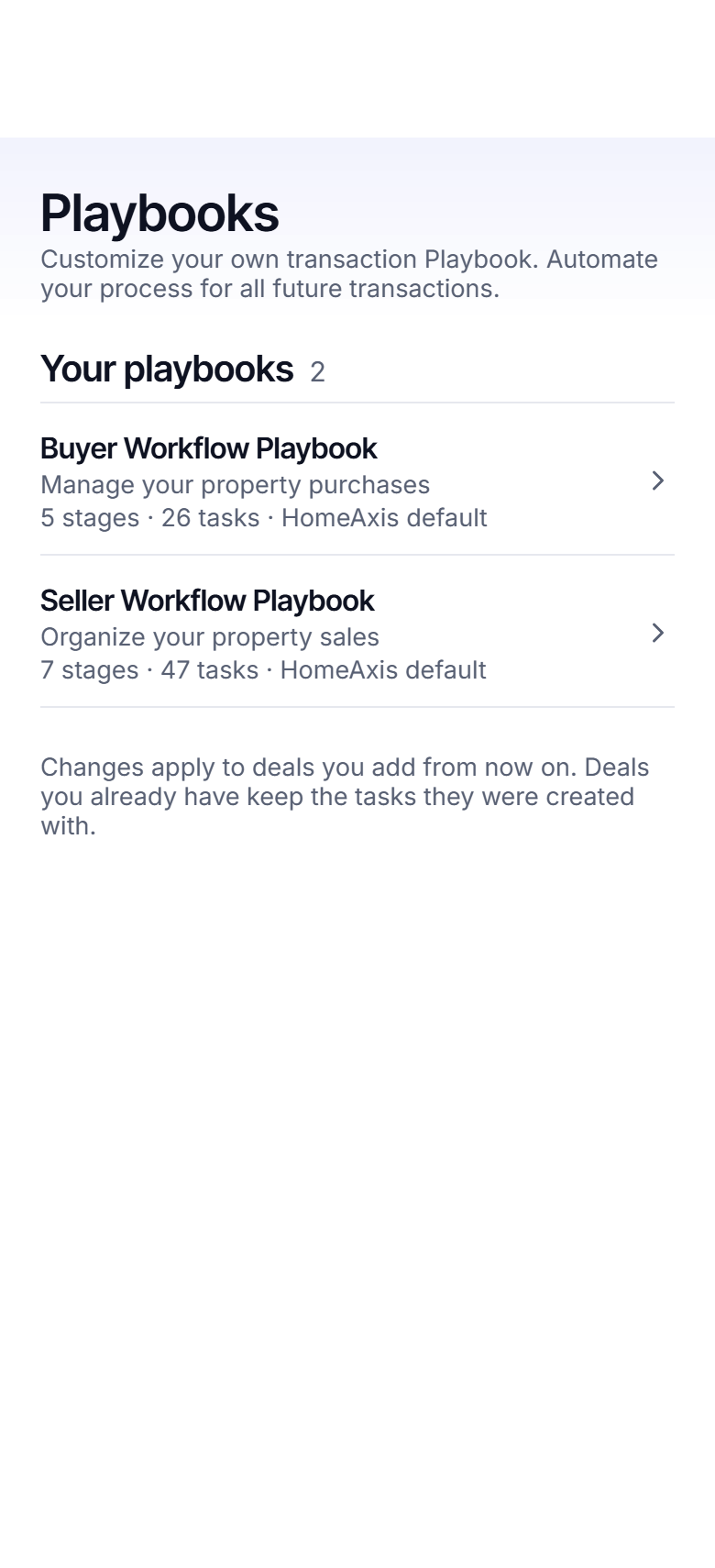
A buyer playbook with 26 tasks in 5 stages and a seller playbook with 48 tasks in 7 stages, built from how agents actually close. Every task counted from a contract date, so the dates do the scheduling.
No card. Works on iPhone, Android and the web with one account.
The stages a deal moves through
Buyer
- Offer Setup (3 tasks)
- Under Contract (7 tasks)
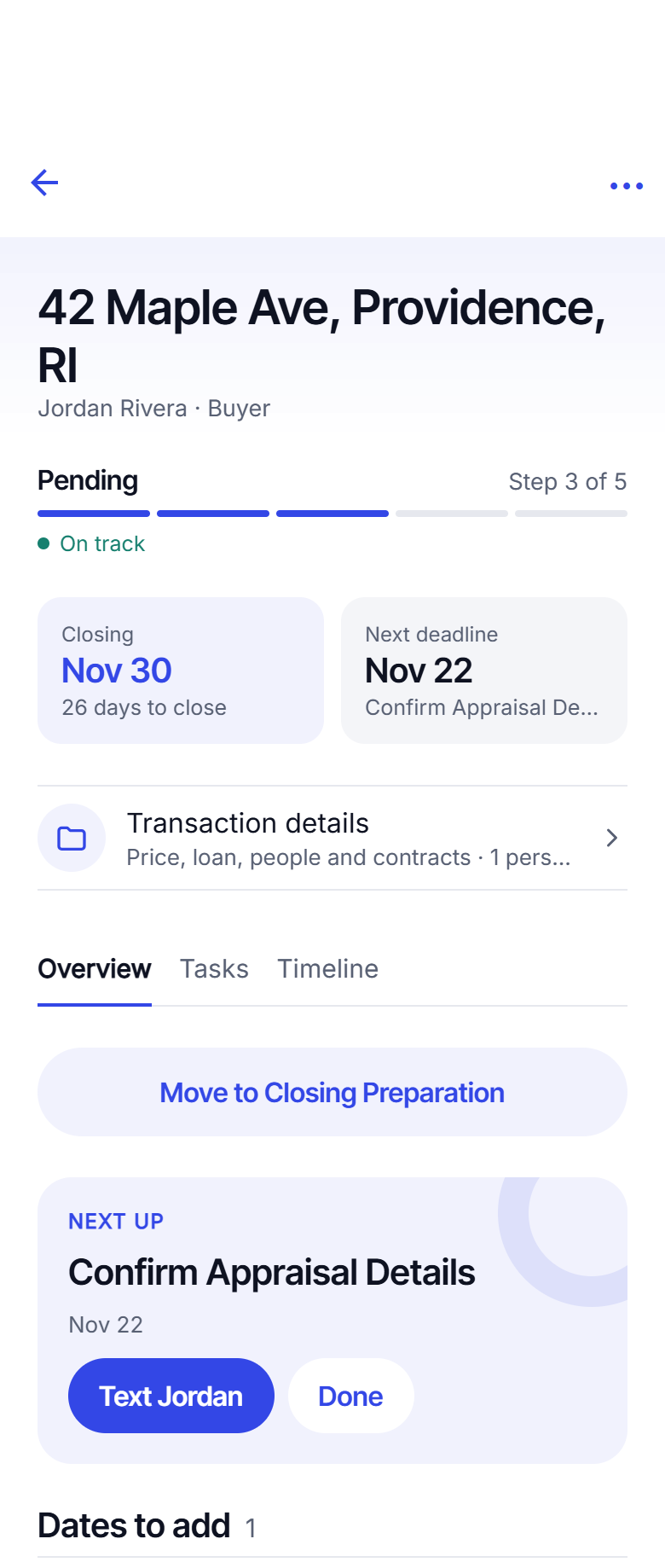
- Pending (8 tasks)
- Closing Preparation (4 tasks)
- Post-Closing Follow-Up (4 tasks)
Seller
- Pre-Listing (6 tasks)
- Coming Soon (7 tasks)
- Active Listing (10 tasks)
- Offer Management (5 tasks)
- Under Contract (3 tasks)
- Closing Preparation (7 tasks)
- Closing Day & Follow-Up (10 tasks)
Make it yours
Your process, not ours
Rename a stage. Add the task your office requires. Move the lender check-in to two days earlier. Write the exact text you send at mortgage commitment, with the client's first name and the address filled in by HomeAxis. Preview the whole thing on a sample deal, then keep it.
Every new deal uses your playbook. Nobody's process is standard, so the playbook is not either.
Why a playbook beats a checklist app
Dates do the work
A checklist has boxes. A playbook has tasks that know which contract date they depend on, so they land on the right day and move when the date moves.
Texts live on the task
The update you send at each milestone is written once, on the playbook, and drafted for you on every deal. You still send it yourself.
Compliance is a task, not a badge
Agency disclosure, lead paint, the lock box: they are tasks on the playbook with a shield, done when you tick them.
Questions agents ask
Can I change the playbook?
Yes. Rename stages, add, edit, reorder or remove tasks, change when a task is due, and write the text or email that goes with it. Preview it on a sample deal before you keep it. Reset to the HomeAxis default any time.
Do my changes affect deals I already have?
No. Changes apply to deals you add from now on. Deals you already have keep the tasks they were created with, so nothing moves under you mid-deal.
What is a task "counted from" a date?
Each task hangs off one contract date with an offset: "3 days before the mortgage commitment date", "on the closing date", "14 days after closing". When the date is known, the task gets its day. When the date changes, the task moves.
What if a date is not known yet?
The task waits. The deal shows which tasks are waiting for which date, and a nudge reminds you to add it. As soon as you add the date, those tasks are scheduled.
Does a task have to have a text?
No. Some tasks are just things to do. Where a text or email helps, the playbook carries a draft with the client name, the address and your signature filled in. You send it yourself.
Keep reading
Add your first deal today.
About 20 seconds from contract to a dated playbook. The first 2 are free.
Start free: 2 deals, no cardAlready have an account? Log in. Lead a team or run a brokerage? See offices.