
For transaction coordinators
Twenty files. One dated checklist. No spreadsheet.
You know the fear: the extension that came in by email on Friday and did not make it into the tracker. Snap the amendment and the dates move. Every file on one Today screen, every closing on one calendar, every contingency counted from the contract.
No card. Works on iPhone, Android and the web with one account.
Built for the person who runs the file
Snap the contract, snap the amendment
The dates come off the document in about 20 seconds. An extension re-dates every task that depends on it. Finished tasks stay finished.
One checklist, your wording
The buyer and seller playbooks are the starting point. Make them the brokerage’s: your stages, your tasks, your texts.
Nothing waits on memory
Nudges flag a file waiting for a date, a quiet lender, a closing in seven days. The morning summary lists the day before it starts.
Every file, every deadline, on one screen
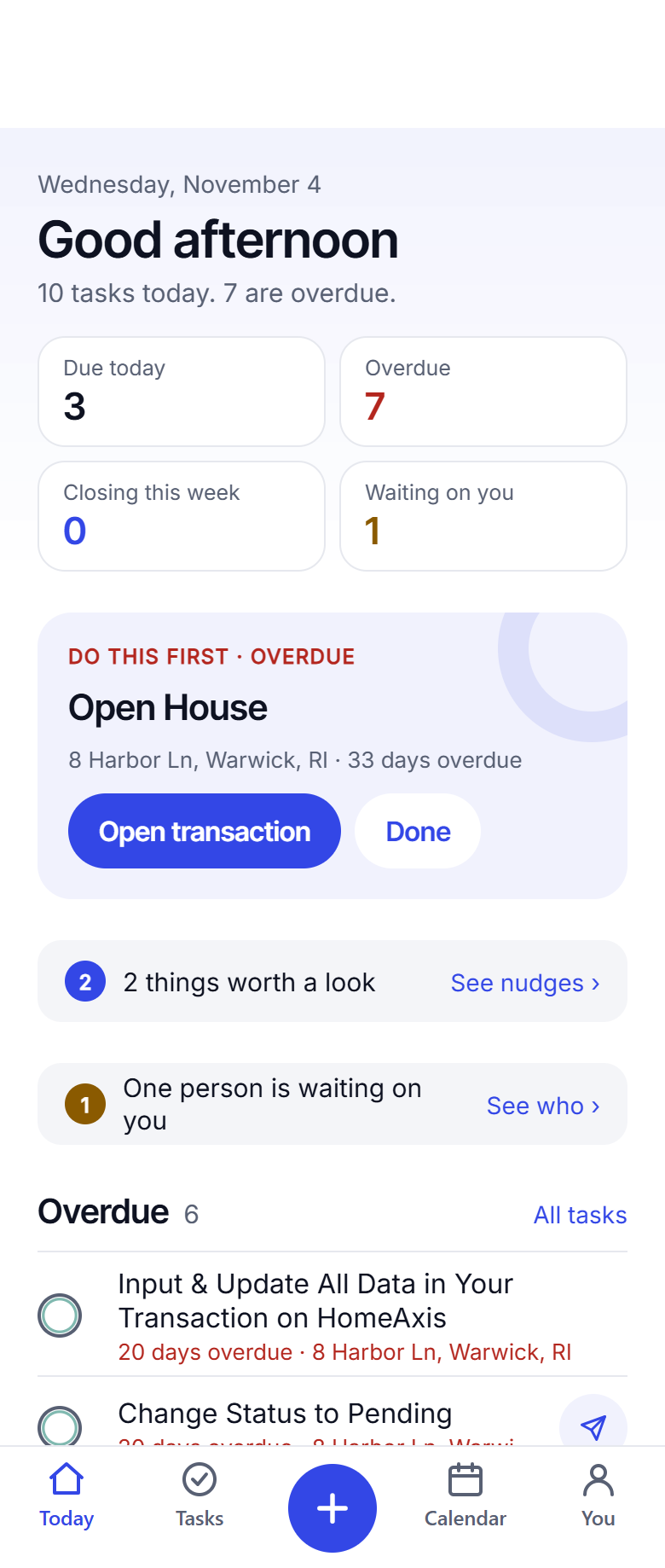
Today across all your files
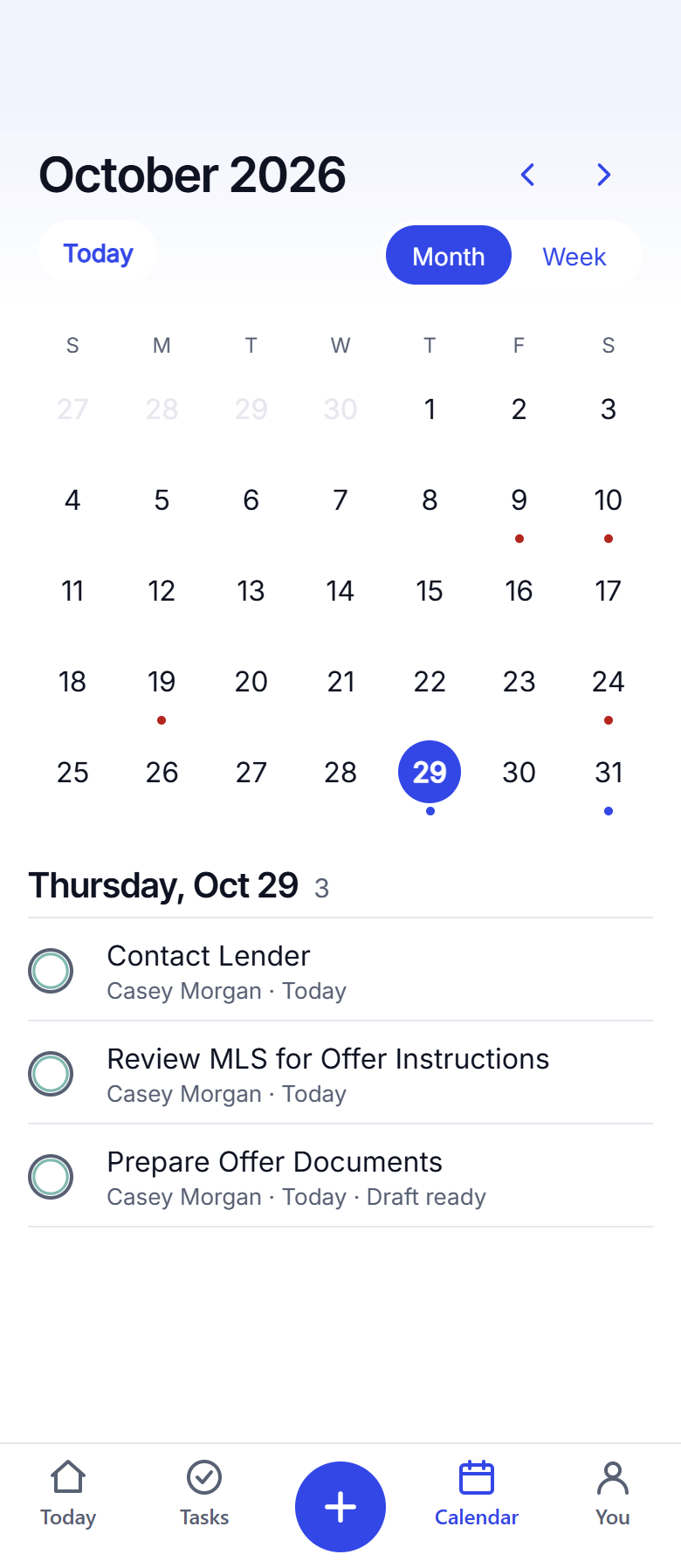
Open Today and the day is sorted: overdue at the top in red, due today under it, the drafted text ready where there is one. Switch to the calendar for the month: every closing, every deadline, a dot on its day. On the web, the same screens with the deals down the side.
Questions agents ask
I coordinate for several agents. Does that work?
Yes. Every file is a deal with its own dates, tasks and people. Today shows what is due across all of them; the calendar shows every closing. On a team, deals are assigned to the agent and you work them from the team view.
Can I change the checklist to match our brokerage?
Yes. The playbook is fully editable: stages, tasks, timing and the wording of every text and email. Preview it on a sample file before you keep it.
Does it text the client for me?
No. It drafts the update on the task; the agent (or you, from your own phone) taps Send. Every message goes from a real person’s number, which is how it should be.
What about documents?
They stay in your own Drive, Dropbox, OneDrive or iCloud. You paste the link on the file. HomeAxis keeps the link, never the document.
Keep reading
Put your next file on HomeAxis.
The first 2 are free, no card. About 20 seconds from contract to a dated checklist.
Start free: 2 deals, no cardAlready have an account? Log in. Lead a team or run a brokerage? See offices.