
Guide · Working with AI
AI for real estate contracts: what it can read, and what it cannot decide
AI can read a signed real estate contract for its facts: the effective date, the deadlines, the price, the deposit and the people. It cannot decide what the contract means for your client, so its reading is a draft that the agent checks line by line against the contract, and any question of interpretation goes to the broker or an attorney.
Last reviewed by the HomeAxis team
Snap your signed contract. HomeAxis sets up the deal’s dates, tasks and client texts, and reminds you before each deadline. You check and send.
2 free deals, no card. Then $14.99 a month. or $149 a year (2 months free)
What can AI read from a purchase contract?
From a clear photo or PDF, AI does well at the parts of a contract that are facts written in boxes and blanks: the dates and day counts, the price and deposit amounts, the property address, and the names of the buyers, sellers, agents, lender and closing attorney or title company. Those are the facts the rest of a transaction is built on.
It does less well where a person wrote by hand, crossed something out, initialled a change in the margin, or left a blank on purpose. An addendum that changes a date can be missed if it is a separate page. AI reading can make mistakes. You check every date before anything is saved.
Read, then checked by you
A contract PDF is read in HomeAxis, the dates it found are shown to check, and the deal is added with each task on its day.
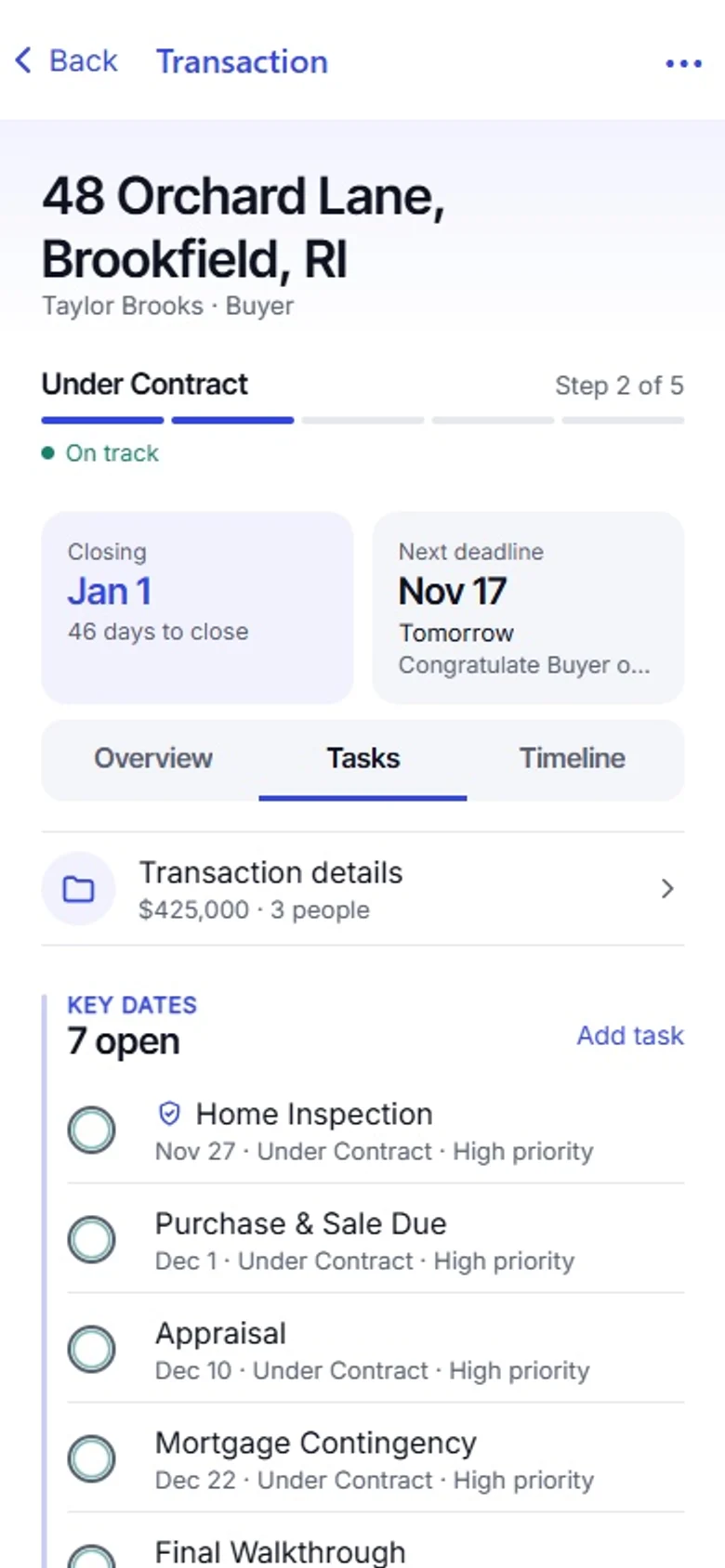
2 free deals, no card. Then $14.99 a month. or $149 a year (2 months free)
What should AI not do with a real estate contract?
Interpret it. Whether a clause protects your buyer, whether a notice was given in time, whether a deadline moved: those are judgments about a legal document that belong with the broker or an attorney, not a reading tool. AI can also write a confident summary that is wrong. A contract review in the legal sense, by a lawyer, is something else from AI reading the dates out.
What does HomeAxis’s contract reader do?
You photograph the signed contract or choose the PDF. In about 20 seconds HomeAxis shows the dates and people it read on one screen, for you to check and change before anything is saved. The deal is then set up with each task dated from those dates and a reminder before every deadline. When an amendment comes in, you snap it the same way and the tasks that depend on a changed date move.
It does not tell you what the contract means, does not check that every signature is there beyond flagging blanks it sees, and keeps the dates it found, not the file. More on Snap your contract; what happens to the file is in is AI safe with client documents.
How do agents check what AI read from a contract?
The same way as any date on a file: against the signed contract and every amendment, before it goes on a calendar or into a message. Many forms count days differently, so the contract terms glossary and the closing timeline calculator show how each state form names and counts its deadlines.