
Free templates
Transaction coordinator email templates for under contract to closing
Transaction coordinator email templates start with two introductions on the day the contract is signed: one to the lender and one to the title company or closing attorney, each with the signed contract attached. Below are two short starters to copy, with the parts to fill in marked [like this].
Last reviewed by the HomeAxis team
Snap the contract or the amendment. HomeAxis dates each task on the file, reminds you before each deadline and drafts the client updates for you to send.
2 free deals, no card. Then $14.99 a month. or $149 a year (2 months free)
What emails go out when a deal goes under contract?
Copy each one and send it from your own email. The emails to your client are on what to text your client.
To the lender
Subject: Under contract: [address]

Hi [loan officer],

Your borrowers [buyer names] are under contract on [address]. The signed contract is attached.

Please let me know if you need anything from our side.

[your name]
To the title company or closing attorney
Subject: New file: [address]

Hi [name],

Please open a file for [address]. The signed contract is attached, with everyone’s contact details.

Let me know what you need next.

[your name]
Drafted on the task, sent by you
In HomeAxis the emails for every stage of the transaction are drafted on its tasks with the names, address and dates filled in. You read the draft, change what you want, and send it yourself.
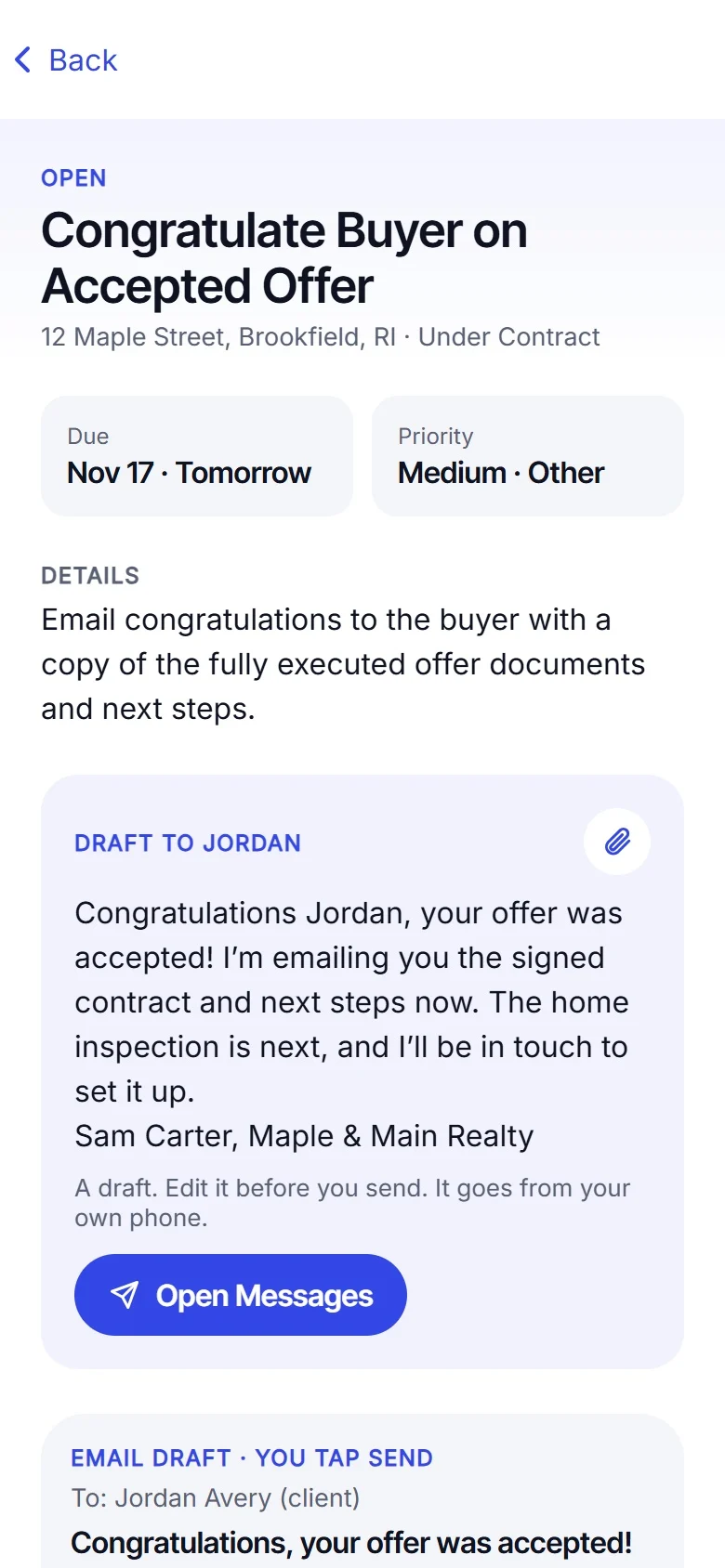
2 free deals, no card. Then $14.99 a month. or $149 a year (2 months free)
Why do the first introduction emails matter?
The first emails set how the professionals on a transaction work together. When the lender and the closing attorney or title company receive the signed contract and each other’s details on day one, questions go to the right person from the start. It is a small step that tends to save phone calls later in the transaction.
How does a consistent email routine help agents and coordinators?
Sending the same introductions at the same moment on every file means nobody has to wonder whether they went out. It helps when an agent and a coordinator share the work, because each knows which emails the other sends. Keep the wording short and your own, attach the signed contract, and send amendments to the same people.
What comes after the introductions?
After the introductions, the emails follow the transaction’s stages: the inspection, the financing, the run-up to closing. Those messages depend on the dates in the signed contract, so they are easiest to send on time when each one is tied to its date. HomeAxis drafts them on the transaction’s tasks for you or your coordinator to send.
How do I keep under-contract emails consistent on every file?
- Send the introductions the day the contract is fully signed, with the contract attached.
- Send every signed amendment to the same people the day it is signed.
- Never pass on wiring instructions: they come only from the closing agent, confirmed by phone.